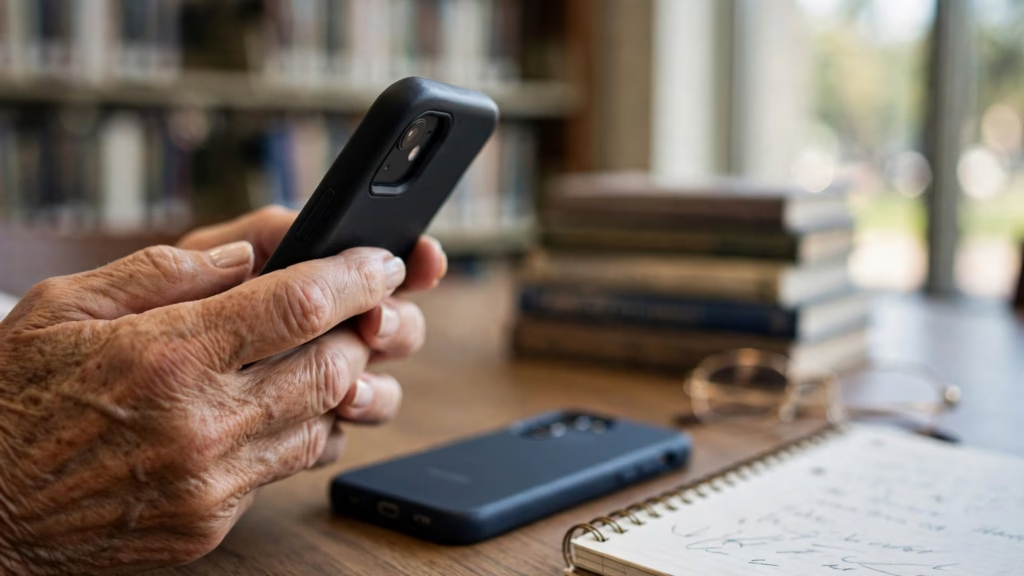
“Do I need a cleaner app?” A student asked me this at the library just last week, because an ad on her phone said it was “slow and full of junk.” Here’s the short answer: no, you don’t need a phone cleaner app. Your iPhone or Android already has free tools that do the useful part, and many cleaner apps cost more than they’re worth. Let’s take it one step at a time.
What phone cleaner apps say they do
A cleaner app usually promises some mix of these things:
- Delete “junk files” and free up storage
- Make your phone faster by “boosting” memory
- Cool down the phone or save battery
- Find duplicate photos and contacts
- Scan for viruses
Some of this is real. Some is just a button that looks busy and then shows a big number. The honest version is: the junk files are mostly small, and your phone clears memory on its own.
What your phone already does for free
| What the app promises | Free tool on iPhone | Free tool on Android |
|---|---|---|
| Free up storage | Settings > General > iPhone Storage | Settings > Storage > Free up space |
| Remove junk files | Offload unused apps; review large attachments | Files by Google > Clean |
| Make the phone faster | Restart it, update iOS, free up space | Restart it, update Android, free up space |
| Scan for viruses | Apps are reviewed by Apple before they’re in the App Store | Google Play Protect scans apps |
Apple’s page on checking the storage on your iPhone shows the recommendations your phone makes on its own. Google’s page on freeing up storage on your Android device does the same for Android. We also wrote a step-by-step guide with pictures in words: how to free up storage on your phone.
Why “booster” apps don’t help much
Memory (also called RAM) is the short-term space your phone uses for the apps you have open. Your phone manages it by itself, closing things it doesn’t need when space runs low. An app that “boosts” memory by closing everything can actually make your phone slower, because the apps you use have to start up from scratch again. On an iPhone, no app is allowed to do this anyway.
The same goes for “cooling” and “battery saver” buttons. They mostly close background apps your phone would have handled. If your battery drains fast, the real fix is in your phone’s battery settings.
The catch: subscriptions and permissions
The bigger risk isn’t the app doing nothing. It’s what comes with it.
- Hidden subscriptions. Many cleaner apps offer a “free scan,” then ask you to start a trial that turns into a weekly or monthly charge. A weekly fee of a few dollars adds up to over $100 a year.
- Lots of ads. Some free cleaners are ad machines, with full-screen ads between every tap.
- Too many permissions. A cleaner may ask to see your photos, contacts, or files. The more access you give, the more of your data the app can collect.
- Scary pop-ups. “Your phone has 5 viruses!” is a pressure tactic. If this message came from a website instead of an app you chose, close it.
How to cancel a cleaner app subscription
On iPhone, follow Apple’s page on how to cancel a subscription from Apple:
- Open Settings and tap your name at the top.
- Tap Subscriptions.
- Tap the app, then tap Cancel Subscription. You may need to scroll down.
If you’re on a free trial, Apple says to cancel at least 24 hours before it ends.
On Android, Google’s page on how to cancel a Google Play subscription explains it:
- Open Google Play and tap your profile picture.
- Tap Payments & subscriptions, then Subscriptions.
- Tap the app, then tap Cancel subscription.
If you were charged after a trial you couldn’t cancel, contact Apple or Google first, then your card company. You can also report it at ReportFraud.ftc.gov.
Are any cleaner apps safe?
Some are legitimate, and some are fine for one job, like finding duplicate photos on an iPhone. But “safe” isn’t the same as “needed.” The only cleaning tool I tell my students to use is the one from Google, and only on Android.
Files by Google (Android)
Files by Google is free, made by Google, and has no subscription. Its Clean tab finds junk files, large files, and unused apps and lets you remove them. Google notes on its junk files help page that clearing junk files is permanent, so read each card before you tap.
Your phone’s own storage screen
On iPhone, Settings > General > iPhone Storage is the one to use. On many Samsung Galaxy phones, look for Battery and device care in Settings. They cost nothing and don’t share your data with another company.
How to check an app before you install it
- The developer name matches a company you can look up
- The listing is clear about the price, including trials
- The reviews mention real results, not just “5 stars”
- The permissions make sense for what the app does
- The App Privacy or Data safety section isn’t a long list of data it collects
Android users can also lean on Google Play Protect, which checks apps for harmful behavior. It helps, but it doesn’t catch every pushy or overpriced app, so still read before you tap Install.
For more guides that keep your phone simple and safe, browse our phone tips and our scam protection articles.
Frequently asked questions
Do phone cleaner apps really work?
They can clear a few junk files, but your phone’s own storage tools do the same thing for free. “Memory boosters” don’t help on modern phones.
Can a cleaner app give my phone a virus?
An app from a legitimate store is unlikely to, but some cleaner apps ask for too much access or push ads and subscriptions. Stick to the official stores and read the permissions.
Why is my phone slow?
Most often it’s a full storage screen, an old update, or too many apps running. Restart the phone, install updates, and free up space before you try anything else.
Is a free cleaner app really free?
Not always. Many are free to download but charge after a trial. Always check the price on the App Store or Google Play listing first.
Bottom line
- Best for most people: your phone’s own storage tools.
- Best on Android: Files by Google.
- Best habit: never start a “free trial” you don’t understand.
Open your storage screen today and clear one thing. If a cleaner app has charged you, cancel the subscription now, while the steps are fresh.